
Automated Timesheets from Google Calendar™ in Time Reports Pro
Instantly convert Google Calendar events into a payroll-ready timesheet. Supports time rounding, multi-calendar export, and custom project codes.
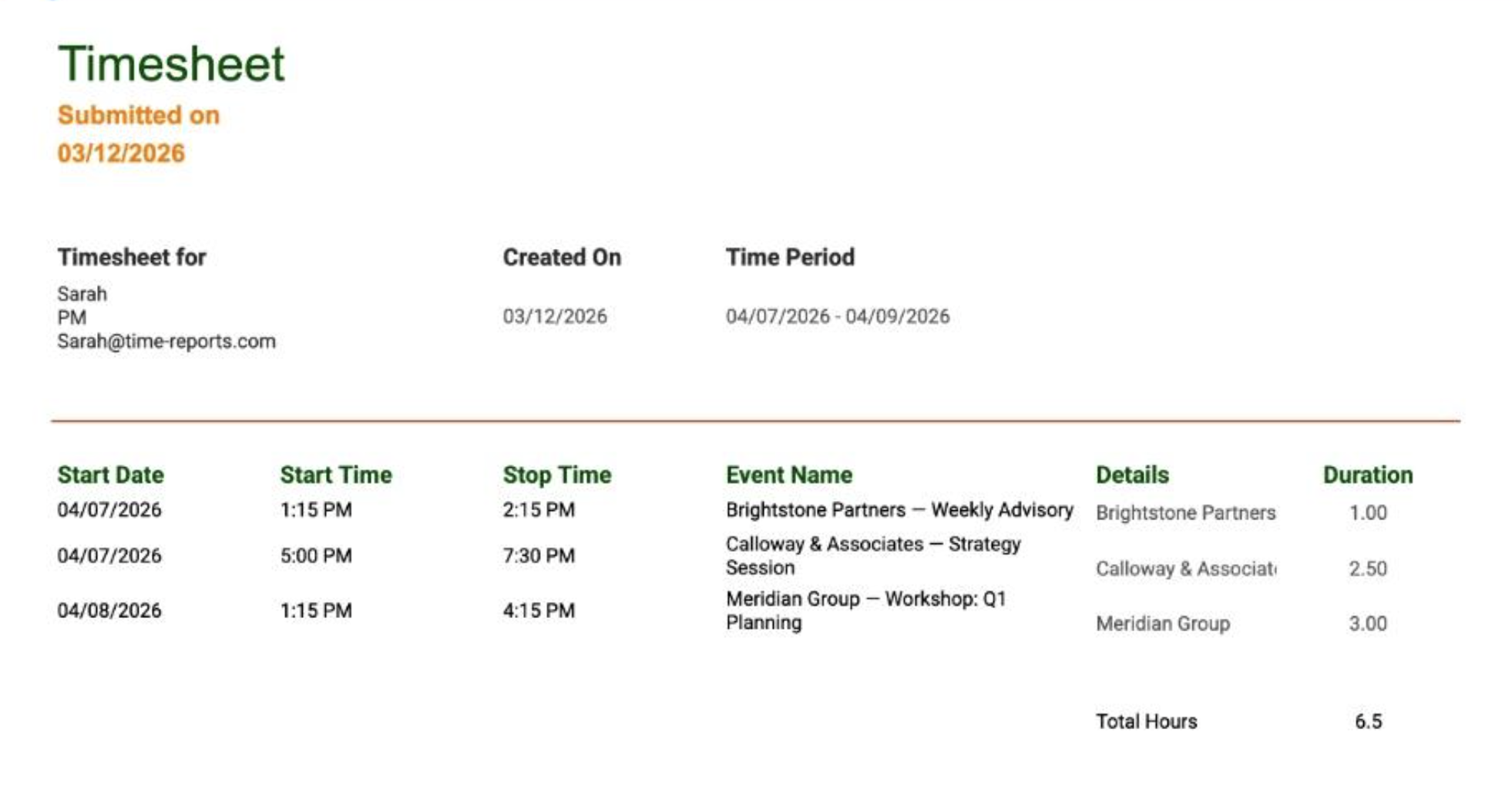
It Works "Out of the Box"
Unlike other tools, you don't have to configure Time Reports Pro to get a basic timesheet.
If you have events on your Google Calendar, you already have a timesheet. We simply extract the Date, Start Time, End Time, and Event Title and organize them into a clean Google Sheet.
...But It’s Better with "Details"
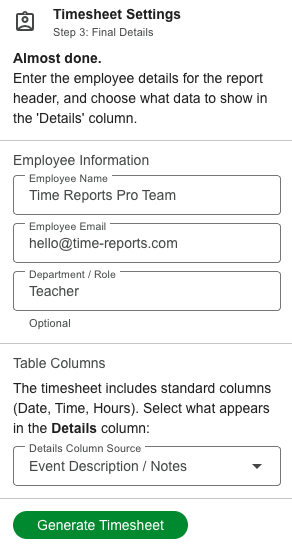
Need more than just the meeting name? You can map a Custom Field (like Project Code, Client Name, or Ticket #) to the "Details" column of your timesheet. This keeps your official payroll records organized by project without cluttering the event title.
How to Create Your Timesheet
Follow this guide to export your hours.
1. Open Time Reports Pro and click Generate Timesheet.

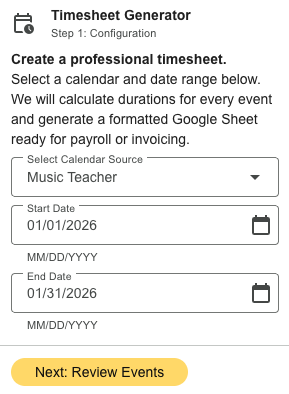
2. Select the Calendar and Date Range you want to export and click Next.
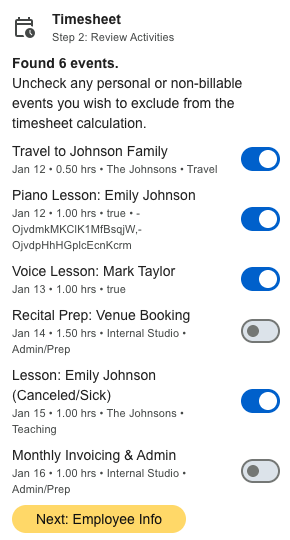
3. Unselect any events that you do not want on the Timesheet and click Next.
4. Enter the Employees Information and what Table Columns you would like on the report and click Generate Timesheet.
5. Click Open Google Sheet to export your timesheet to Google Sheets™.
FAQ’s
-
The timesheet exports every event found on your calendar. If you have two events at the same time, both will be listed. We recommend cleaning up overlaps in your calendar before running the report for accurate totals.
-
Yes! The result is a standard Google Sheet. You can edit rows, change rates, or delete personal events manually before sending it to your boss.
-
We recommend using a Dropdown Field (for Project Names) or a Text Field (for Ticket Numbers).
Read our Guide to Custom Field Types to learn how to set these up.