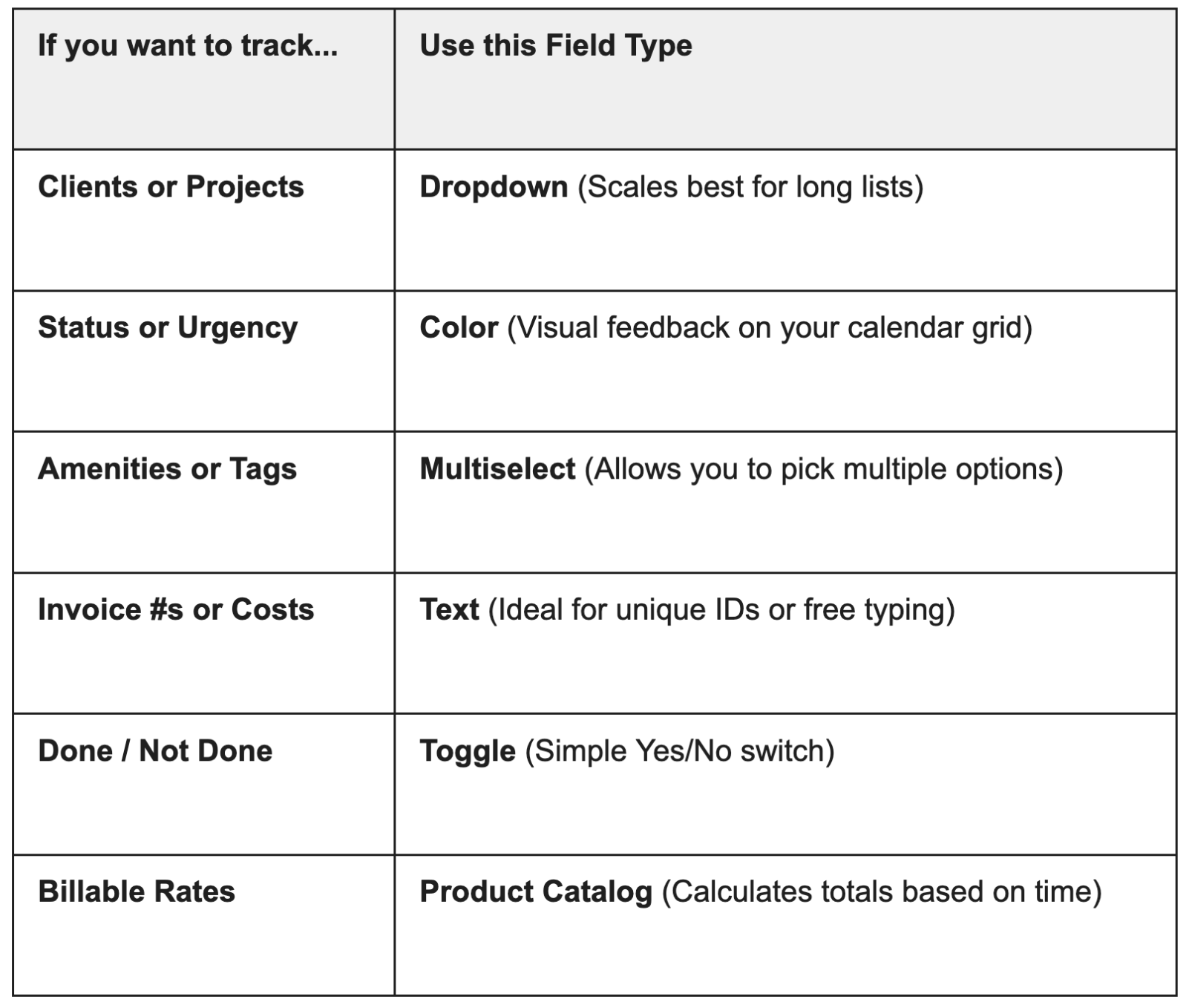
Quick Start Recipes
Use these ‘recipes’ for success to build out your fields based on a variety of roles.
Recipe 1: The "Simple Consultant" (Billable Hours)
Dropdown: "Client Name" (Use this for your primary list to ensure reporting consistency).
Toggle: "Invoiced?" (Quickly mark what has been sent to accounting) .
Product Catalog: "Service Rate" (Assign your hourly or flat rates to see your totals grow automatically).
Recipe 2: The "Project Manager" (Team Coordination)
Color Field: "Project Health" (Use Red/Yellow/Green to see your schedule's status at a glance—remember, there is a limit of 11 colors!).
Multiselect: "Team Involved" (Tag every team member working on the event).
Text Field: "Meeting Goal" (Capture specific notes or unique meeting objectives).
Recipe 3: The "Field Service" (Job Tracking)
Dropdown: "Job Type" (Repair, Installation, Quote).
Text Field: "Material Costs" (Enter your dollar amounts here; they'll be ready for you in your spreadsheet).
Toggle: "Safety Check Complete" (A fast way to ensure protocols were followed).